 |
Peano
|
|
Peano
|
Interactive visualisation of Peano patch files within Jupyter notebooks. More...
Functions | |
| read_snapshots (file_name) | |
| Return list of (time stamp, list of patch files) from a patch meta file. | |
| read_patches (patch_file_name) | |
| Return list of (offset, size, values) for all patches of one patch file. | |
| read_unknown_names (file_name) | |
| Names of the unknowns as stored in the description of a patch file. | |
| plot_snapshot (file_name, snapshot=-1, unknown=0, clim=None, ax=None, cmap="viridis", label=None) | |
| Plot one unknown of one snapshot. | |
| show_solution (file_name, unknown=0, unknown_names=None, clim=None) | |
| Interactive viewer for a patch file within a Jupyter notebook. | |
Interactive visualisation of Peano patch files within Jupyter notebooks.
The routines here read 2d cell data from a Peano patch file (meta file plus one file per snapshot) and render one unknown with matplotlib. Within a notebook, show_solution() adds a time slider, a play button and a selector for the unknown. plot_snapshot() is the non-interactive counterpart which can also be used to write PNG files.
Only the default (equidistant) cell mapping in 2d is supported. Adaptive meshes work, as every patch is drawn individually.
| tarch.plotter.api.notebook.plot_snapshot | ( | file_name, | |
snapshot = -1, |
|||
unknown = 0, |
|||
clim = None, |
|||
ax = None, |
|||
cmap = "viridis", |
|||
label = None |
|||
| ) |
Plot one unknown of one snapshot.
file_name: String Patch meta file as written by the Peano/ExaHyPE plotters.
snapshot: Integer Index of snapshot. Negative values count from the end.
unknown: Integer Index of unknown to plot.
clim: (float,float) or None Colour range. If None, we use the range of the plotted data.
Returns the matplotlib axes.
Definition at line 98 of file notebook.py.
References tarch.plotter.api.notebook.read_patches().
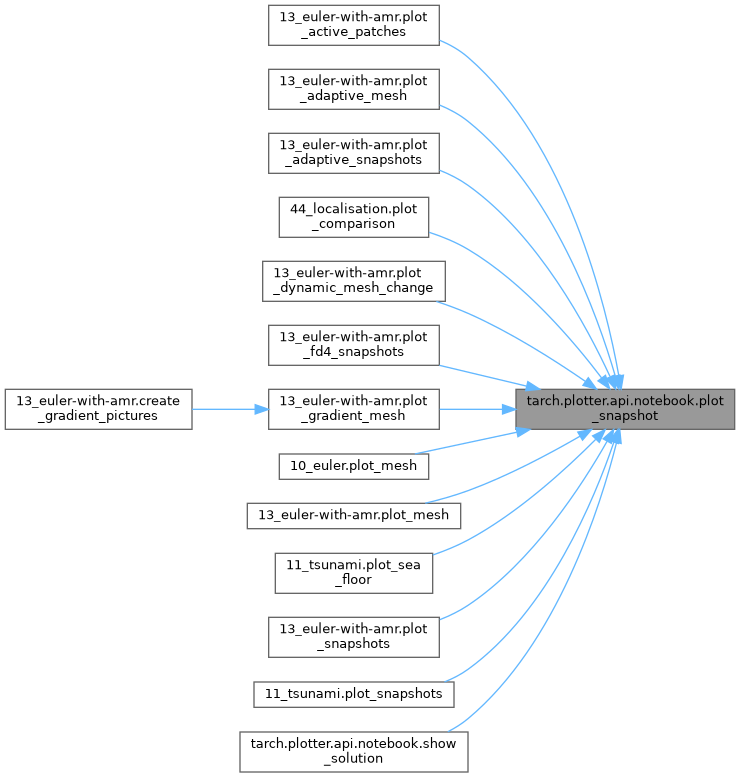
Referenced by 13_euler-with-amr.plot_active_patches(), 13_euler-with-amr.plot_adaptive_mesh(), 13_euler-with-amr.plot_adaptive_snapshots(), 44_localisation.plot_comparison(), 13_euler-with-amr.plot_dynamic_mesh_change(), 13_euler-with-amr.plot_fd4_snapshots(), 13_euler-with-amr.plot_gradient_mesh(), 10_euler.plot_mesh(), 13_euler-with-amr.plot_mesh(), 11_tsunami.plot_sea_floor(), 13_euler-with-amr.plot_snapshots(), 11_tsunami.plot_snapshots(), and tarch.plotter.api.notebook.show_solution().

| tarch.plotter.api.notebook.read_patches | ( | patch_file_name | ) |
Return list of (offset, size, values) for all patches of one patch file.
values is a numpy array of shape (dof, dof, unknowns), i.e. we index it with values[y,x,unknown].
Definition at line 49 of file notebook.py.
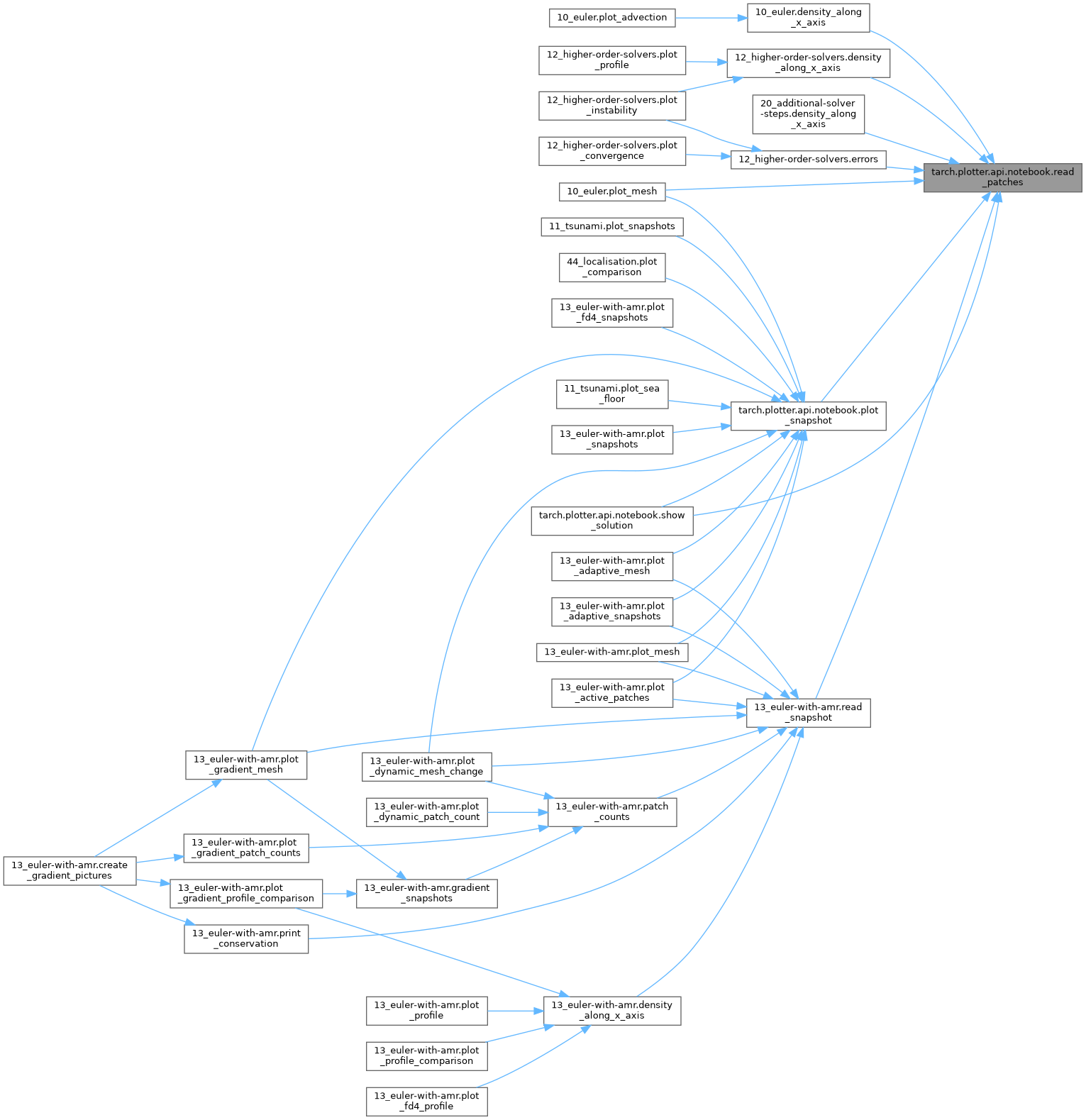
Referenced by 12_higher-order-solvers.density_along_x_axis(), 10_euler.density_along_x_axis(), 20_additional-solver-steps.density_along_x_axis(), 12_higher-order-solvers.errors(), 10_euler.plot_mesh(), tarch.plotter.api.notebook.plot_snapshot(), 13_euler-with-amr.read_snapshot(), and tarch.plotter.api.notebook.show_solution().
| tarch.plotter.api.notebook.read_snapshots | ( | file_name | ) |
Return list of (time stamp, list of patch files) from a patch meta file.
The visualiser resolves the included patch files relative to the meta file, so we can call the routine from any directory.
Definition at line 30 of file notebook.py.
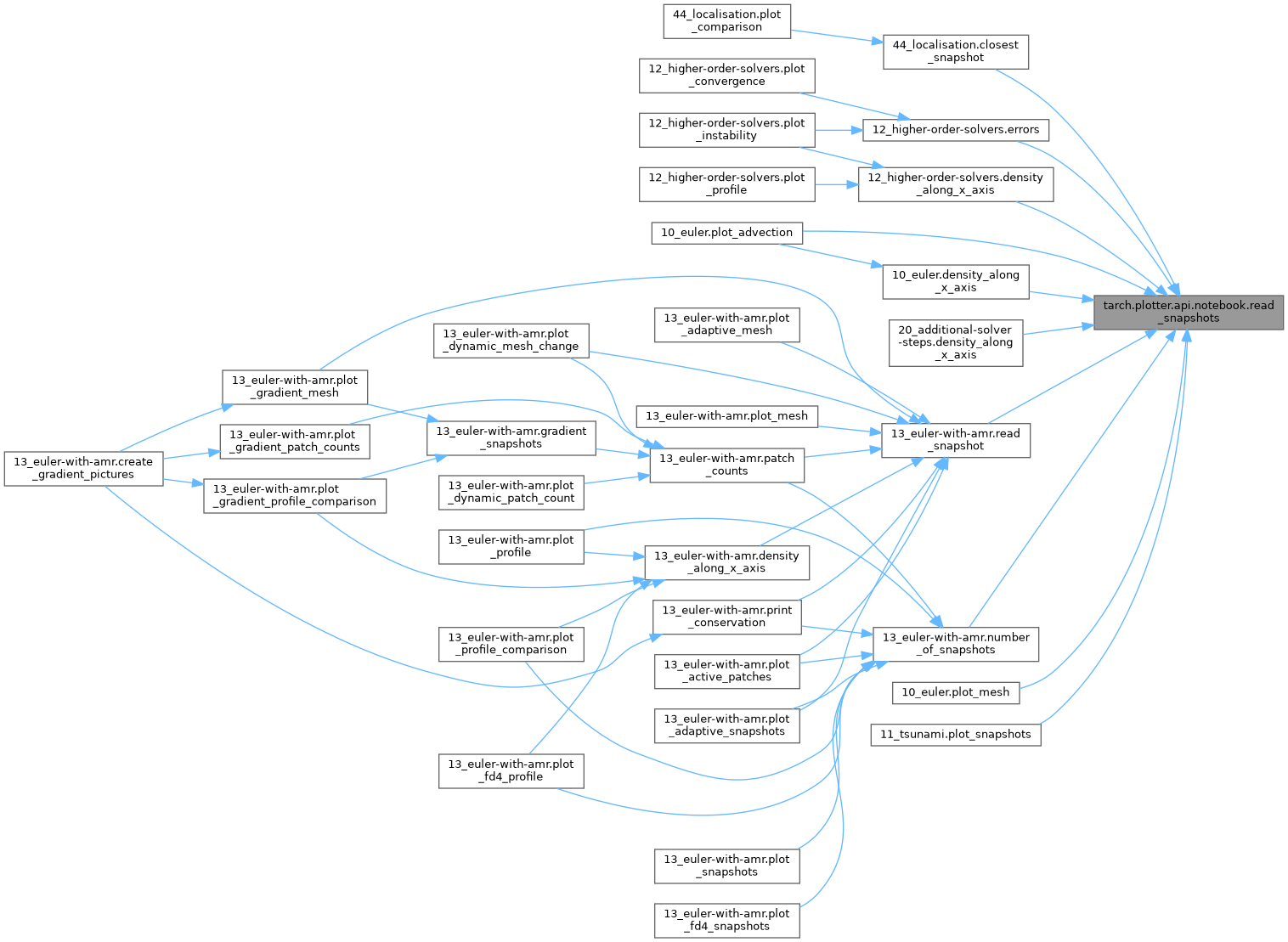
Referenced by 44_localisation.closest_snapshot(), 12_higher-order-solvers.density_along_x_axis(), 10_euler.density_along_x_axis(), 20_additional-solver-steps.density_along_x_axis(), 12_higher-order-solvers.errors(), 13_euler-with-amr.number_of_snapshots(), 10_euler.plot_advection(), 10_euler.plot_mesh(), 11_tsunami.plot_snapshots(), and 13_euler-with-amr.read_snapshot().
| tarch.plotter.api.notebook.read_unknown_names | ( | file_name | ) |
Names of the unknowns as stored in the description of a patch file.
Plotters such as exahype2.api.fv.PlotAsVTKFile write the names of the unknowns as comma-separated list into the description. Returns this list, or None if the description does not hold one name per unknown.
Definition at line 77 of file notebook.py.
Referenced by tarch.plotter.api.notebook.show_solution().

| tarch.plotter.api.notebook.show_solution | ( | file_name, | |
unknown = 0, |
|||
unknown_names = None, |
|||
clim = None |
|||
| ) |
Interactive viewer for a patch file within a Jupyter notebook.
Adds a slider over all snapshots, a play button and - if unknown_names is given - a dropdown to pick the unknown.
unknown_names: List of strings or None Names of the unknowns in the order they are stored. If None, we take the names from the patch file (
clim: (float,float) or None Fixed colour range. If None, the colour range per unknown is taken from the first snapshot, so you see the solution evolve against a fixed scale.
Definition at line 159 of file notebook.py.
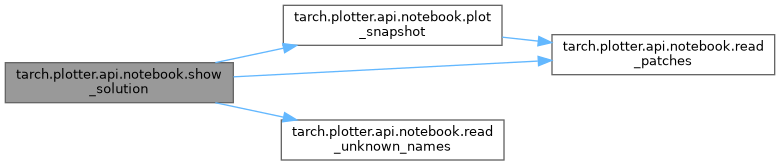
References tarch.plotter.api.notebook.plot_snapshot(), tarch.plotter.api.notebook.read_patches(), and tarch.plotter.api.notebook.read_unknown_names().
 1.9.8